
Minecraft Village Street Coloring Page
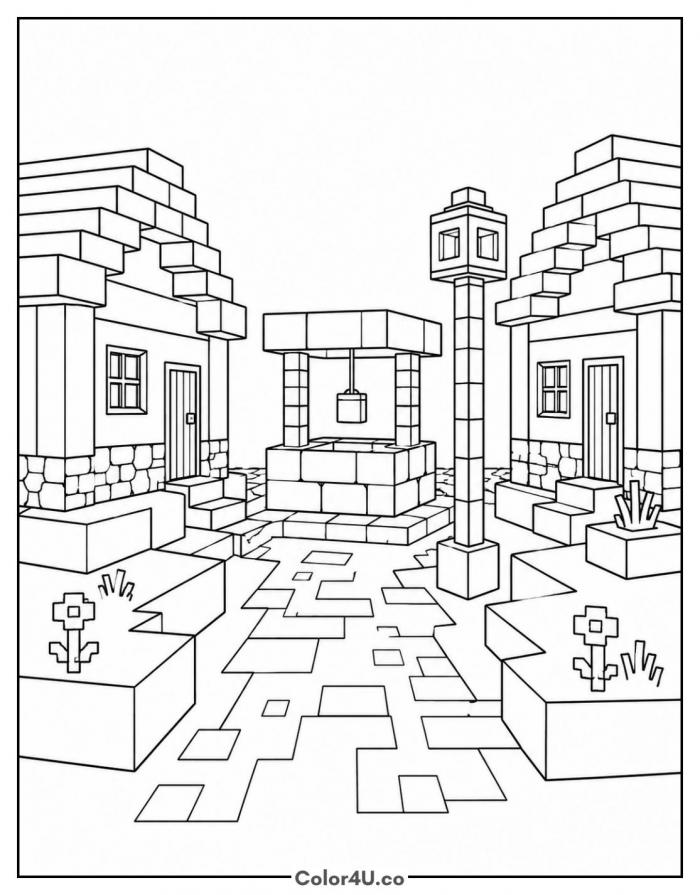
Enjoy this free printable Minecraft Village Street coloring page. You can download it as a high-quality PDF and use it for home, classroom, or rainy-day coloring fun.
How to color Minecraft Village Street (with suggested palette)
Colors that work well together — tap any swatch to copy its hex.
Start at the back with the well and the lamp post, then work forward to the two houses, roofs before walls. Do the garden beds and flowers next. Leave the path for last and vary your grays tile by tile. Tap any color below to copy its HEX code.
Additional Coloring Tips
1Paving tiles
Rotate between sand and two grays across the path so the street looks worn rather than tiled.
2Stone well
Outline each block of the well in a darker gray so the stonework does not blur together.
3Lamp post
Leave the lantern panels pale yellow and color the post dark so the light reads as glowing.
More Minecraft pages to color next
Same style, similar complexity — good follow-ups for the same coloring session.




Download & print details
Everything you need to know before you hit print.
👉 See all Minecraft coloring pages for more designs to print and color.
Looking for something similar? Try Zombie Villager next.